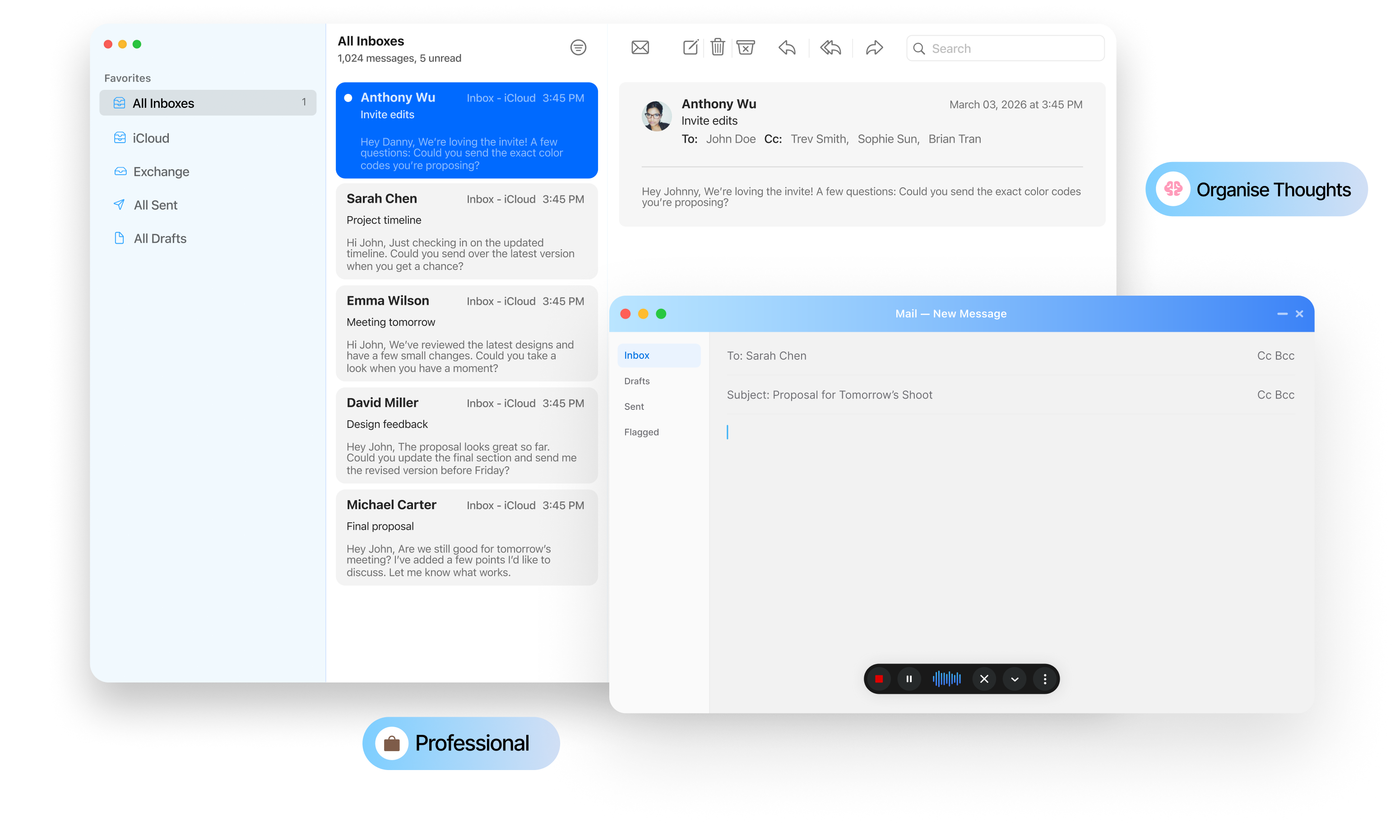
If you've ever spoken into a microphone and watched your words appear as a polished paragraph on your screen, you've experienced AI voice typing.
But modern voice typing is more than simply converting speech into text. Tools such as Zero Typing AI combine voice input with AI-powered text processing to help turn natural speech into usable written content. Instead of stopping at a raw transcript, the technology can help clean up grammar, improve phrasing, format text, and organize ideas.
3×
Faster than typing
99%
Uptime guaranteed
10k+
Active users
What AI voice typing really is
AI voice typing is technology that allows you to speak instead of manually typing your words.
At its simplest, the process looks like this:
01You speak→02Transcribed→03AI refines→04Ready text
Traditional speech recognition primarily focuses on identifying the words being spoken. Modern AI voice typing can take that process further by helping make the resulting text more readable and useful.
That's where Zero Typing AI comes in. Rather than requiring you to carefully dictate every sentence and manually fix every mistake afterward, Zero Typing AI is designed to let you speak naturally and use AI-powered tools to refine the resulting text.
How Does AI Voice Typing Work?
01
Your Voice Is Captured
Everything starts with your microphone.
When you begin speaking, your voice is captured as digital audio. The system needs to process that audio before it can turn your speech into written words.
You don't need to think about individual words, punctuation marks, or formatting while you're talking. The goal is to let you communicate naturally.
For someone writing an email, document, message, or note, this can make the writing process feel much more conversational.
02
Speech Is Converted Into Text
The next step is speech-to-text transcription.
The system analyzes your spoken audio and identifies the words you're saying. Instead of manually entering those words with a keyboard, you receive a text version of what you dictated.
This is the fundamental capability behind voice typing.
However, transcription by itself isn't necessarily the same as finished writing.
A raw transcription may contain missing punctuation, awkward phrasing, repeated words, or verbal filler. That's where AI-powered text processing becomes useful.
Think of traditional speech recognitionas the transcription step.
AI voice typing combines transcription with tools that help turn that transcription into usable writing.
Feature
Converts speech to text
Recognition aloneYes
AI voice typingYes
Adds punctuation automatically
Recognition aloneRarely
AI voice typingYes
Understands context & meaning
Recognition aloneNo
AI voice typingYes
Formats paragraphs & lists
Recognition aloneNo
AI voice typingOften
Offers custom writing styles
Recognition aloneNo
AI voice typingYes
Keeps raw, unformatted text
Recognition aloneN/A
AI voice typingYes
Output ready to use as-is
Recognition aloneRarely
AI voice typingUsually
Feature
Recognition alone
AI voice typing
Converts speech to text
Yes
Yes
Adds punctuation automatically
Rarely
Yes
Understands context & meaning
No
Yes
Formats paragraphs & lists
No
Often
Offers custom writing styles
No
Yes
Keeps raw, unformatted text
N/A
Yes
Output ready to use as-is
Rarely
Usually
How Zero Typing AI Fits Into Your Writing Workflow
One of the main advantages of Zero Typing AI is that you don't have to treat voice typing as a separate writing activity.
You can place your cursor where you want to enter text, speak your thoughts, and use AI-powered features to refine the result, or leave it untouched if you'd rather work with the raw transcript.
This makes voice input useful for more than simply replacing keyboard typing.
Writing an email
“Hi Sarah! Wanted To Follow Up Regarding The Proposal We Discussed Yesterday...”
Refined With One Tap
Speak it once, then improve grammar, adjust the wording, reorganize, or switch style. The same flow works for notes, messages, reports, and documents.
Two ways to get there
Traditional dictation
Speak→Transcribe→Edit by hand
AI voice typing
Speak→Transcribe→Refine→Format→Use
AI Voice Typing Vs. Traditional Dictation
The difference is easiest to see side by side. With traditional dictation you correct everything by hand. With an AI workflow, the editing and refinement stage is assisted, using prompts, a saved style, or no processing at all.
Traditional dictation
Speak→Transcribe→Edit manually
AI voice typing
Speak→Transcribe→Refine→Format→Use
The important difference is that AI can assist with the editing and refinement stage, using either ready-made prompts, a custom style you've created, or no processing at all if you want the raw transcript.
That's particularly useful for people who think faster than they type or who find it easier to explain an idea verbally than compose it word by word on a keyboard.
Why It Changes How You Write
When you type, you're constantly switching between thinking about what you want to say and physically entering the words.
Voice typing can make that process more conversational.
You can explain an idea naturally, capture your thoughts quickly, and then use AI-powered tools to turn the rough input into cleaner writing, or keep it raw when that's all you need.
The biggest benefit isn't typing faster. It's reducing the friction between having an idea and getting it onto the screen.
For longer emails, reports, notes, documents, and other written content, that can make a noticeable difference in how you approach writing.
Common Questions About AI Voice Typing
Not quite. Speech recognition is the transcription step: it identifies the words you said. AI voice typing starts there and adds text processing on top, so the result reads like finished writing rather than a raw transcript.
No. Transcription is only the first stage. Zero Typing AI also cleans up grammar, adds punctuation and paragraph breaks, and can rephrase, reorganize, or reformat what you said before it lands on the page.
Yes. You do not need to dictate punctuation commands like "comma" or "new paragraph." Talk the way you would explain something to a coworker and the formatting is handled for you.
Yes. Filler words, false starts, and repeated phrases are common in natural speech. Zero Typing AI can tidy those up so the text you keep is closer to what you would have written by hand.
Yes. You can ask for a different tone or wording after you speak, which is useful when the same idea needs to sound one way in an email and another way in a report.
Often, yes. Paragraphs, lists, and basic structure can be applied automatically, so long-form dictation does not arrive as one unbroken block of text.
Yes. You can save a custom style and reuse it, so your dictated text consistently comes out in the voice you write in rather than a generic default.
No. AI processing is optional. If you prefer the raw transcript exactly as you said it, you can skip the refinement stage entirely and keep the unformatted text.
Usually, yes. The benefit is not only raw speed. It is the reduced friction between having an idea and getting it onto the screen, which matters most for longer emails, reports, notes, and documents.
Try Zero Typing AI
AI voice typing isn't just about replacing your keyboard with a microphone.
The technology combines speech-to-text with AI-powered tools that can help turn spoken ideas into cleaner, more useful writing, whether you rely on ready-made prompts, a custom writing style, or the raw transcript.
That's what makes the workflow different from traditional dictation.
With Zero Typing AI, you can speak your thoughts, capture them as text, and use AI-powered features to fix grammar, rephrase content, format text, and organize your ideas, or keep things exactly as you said them.
Instead of spending all your time typing and editing, you can focus more on the ideas you're trying to communicate.
Try Zero Typing AI and experience what writing can feel like when you speak first and refine later.