Long-form drafting:
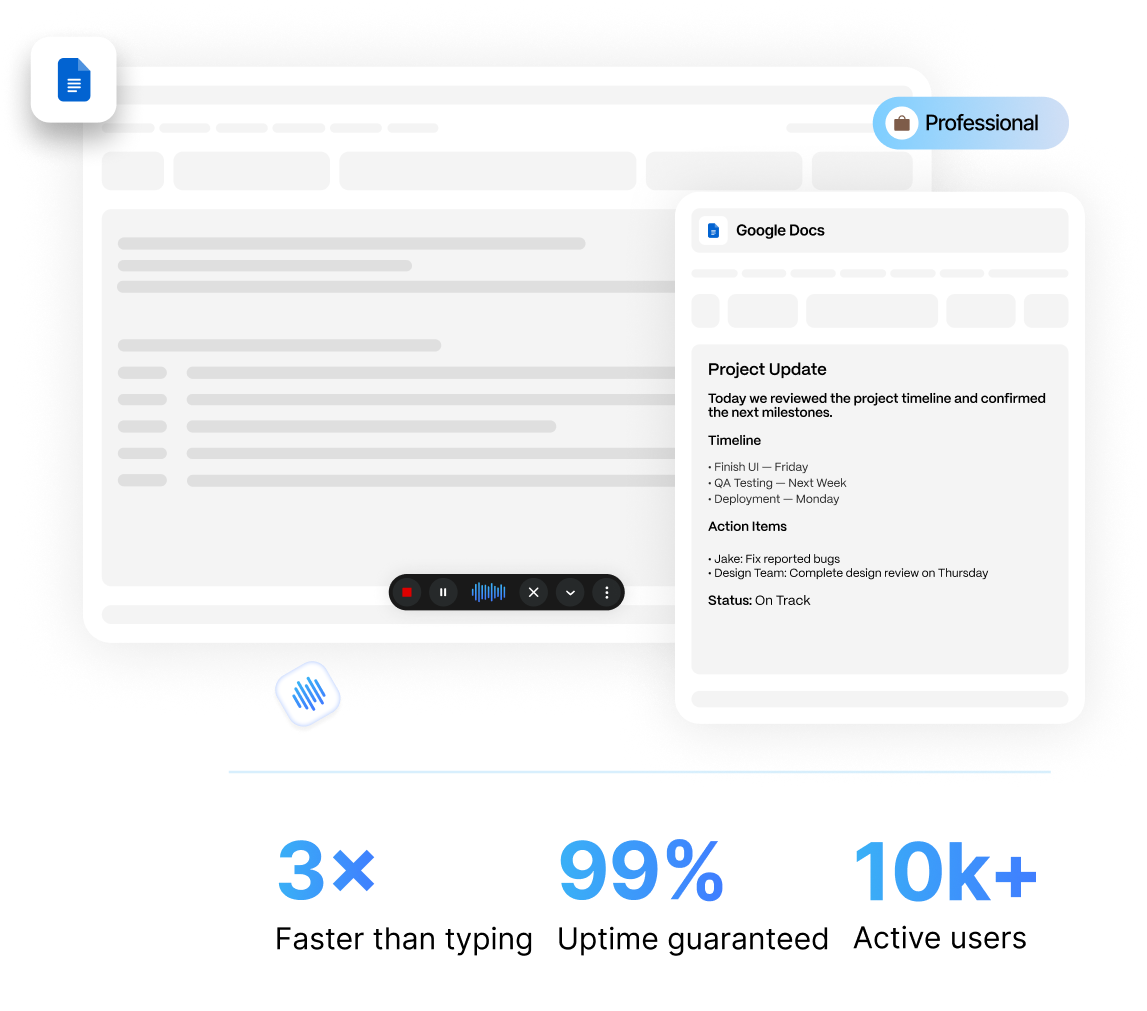
Getting a first draft down is often the hardest part of writing. Speaking it out loud keeps your train of thought moving instead of breaking it every time you pause to find the right key.
Google Docs has a built-in voice typing tool, but anyone who has used it for more than a few sentences knows the problem. It drops punctuation, mishears technical terms, and stalls out the moment your internet connection hiccups.
Zero Typing AI is a voice typing application that runs anywhere on your phone and desktop. No stopping to say "period" or "new paragraph." You talk, and the words show up ready to send.
In This Article
Typing has a ceiling. Most people speak at roughly 130 to 150 words per minute but type closer to 40. That gap adds up fast across a full day of drafting emails, reports, blog posts, or client notes. Voice typing in Google Docs lets you close that gap without changing where you already work.
It also helps in situations typing makes harder:
Getting a first draft down is often the hardest part of writing. Speaking it out loud keeps your train of thought moving instead of breaking it every time you pause to find the right key.
Dictation gives your hands a break during heavy writing days.
Pace around, take notes on your phone, or draft while your hands are busy with something else.
Speaking a thought is often more natural than typing it, especially for people who think faster than they type in a second language.
Zero Typing AI runs quietly in the background while you write. Here's what using it actually looks like:
Zero Typing AI sits on your desktop, ready whenever you need it.
Talk the way you would explain something to a coworker. No punctuation commands, no slowing your pace.
Zero Typing AI adds punctuation, capitalization, and paragraph breaks automatically.
Fix a word, add a sentence, or keep dictating. Never locked into one mode.
Because it's built specifically for the dictation use case rather than repurposing a general speech recognition engine, it handles longer sentences and natural pauses far better than Google's native tool.
The biggest complaint about Google's built-in dictation isn't speed. It's accuracy. Names, industry terms, acronyms, and anything slightly outside everyday vocabulary tend to come out wrong, which means more time proofreading than you saved by talking.
Zero Typing AI is built around a more accurate speech engine, so you spend less time cleaning up transcription errors and more time actually writing. That matters most for specialized content: legal notes, medical documentation, technical reports, or marketing copy full of brand names.
Personal Dictionary
Words that are misspelled or need a specific spelling can be added to the dictionary. Once added, they will always be transcribed exactly like that.
Zero Typing AI isn't limited to Google Docs. The same voice typing tool works across Gmail, Slack, and your favorite AI chat tools, so you get one consistent dictation experience everywhere you write instead of learning a different tool for every app.
But Google Docs is where most long-form writing happens, and that's exactly where Zero Typing AI performs best: extended sessions, multiple paragraphs, and documents you'll actually publish or send without a heavy edit pass afterward.

Google Docs · Gmail · Slack · AI chat tools
Google's Built-In Voice Typing
Requires spoken commands
Zero Typing AI
Added automatically
Google's Built-In Voice Typing
Inconsistent
Zero Typing AI
Higher accuracy
Google's Built-In Voice Typing
No, Docs only
Zero Typing AI
Yes, Gmail, Slack, AI chat tools
Google's Built-In Voice Typing
Manual clean-up needed
Zero Typing AI
Clean text as you speak
Google's Built-In Voice Typing
Short notes
Zero Typing AI
Long-form writing
| Feature | Google's Built-In Voice Typing | Zero Typing AI |
|---|---|---|
| Punctuation | Requires spoken commands | Added automatically |
| Accuracy on technical terms | Inconsistent | Higher accuracy |
| Works across other apps | No, Docs only | Yes, Gmail, Slack, AI chat tools |
| Formatting | Manual clean-up needed | Clean text as you speak |
| Built for | Short notes | Long-form writing |
Writers and bloggers drafting posts faster by speaking first drafts instead of typing them line by line.
Students turning lecture notes or research thoughts into essays without slowing down to keep up with their own ideas.
Business professionals dictating reports, proposals, and client emails between meetings.
Content teams producing more drafts per day without adding headcount.
Anyone managing wrist or hand strain who needs a lower-effort way to keep writing.
Yes. Zero Typing AI runs on your desktop and works with Google Docs, letting you dictate directly into your document without switching tabs or copying text over from another app.
Yes. Zero Typing AI is built around a more accurate speech engine, so names, industry terms, and acronyms come through correctly far more often. That means less time proofreading and more time actually writing.
No. Zero Typing AI adds punctuation, capitalization, and paragraph breaks automatically, so you can talk the way you would explain something to a coworker without breaking your pace.
Yes. The same voice typing tool works across Gmail, Slack, and your favorite AI chat tools, so you get one consistent dictation experience everywhere you write.
Yes. You can try Zero Typing AI free to see how it handles your own writing and vocabulary before deciding on a paid plan.
If you've been putting up with Google's built-in voice typing because it was the only option you knew about, it's worth trying something built for real writing. Zero Typing AI gives you accurate, punctuated, ready-to-send text the moment you stop talking.
Try Zero Typing AI free and start writing at the speed you think.
Sign up for our newsletter and join the Zero Typing AI community.