Voice Prompting AI: The Complete Guide to Dictating Better AI Prompts

The best AI prompts are long, specific, and detailed: exactly the kind of thing that's slow to type and fast to say. Voice prompting AI lets you dictate straight into ChatGPT, Claude, and Gemini.

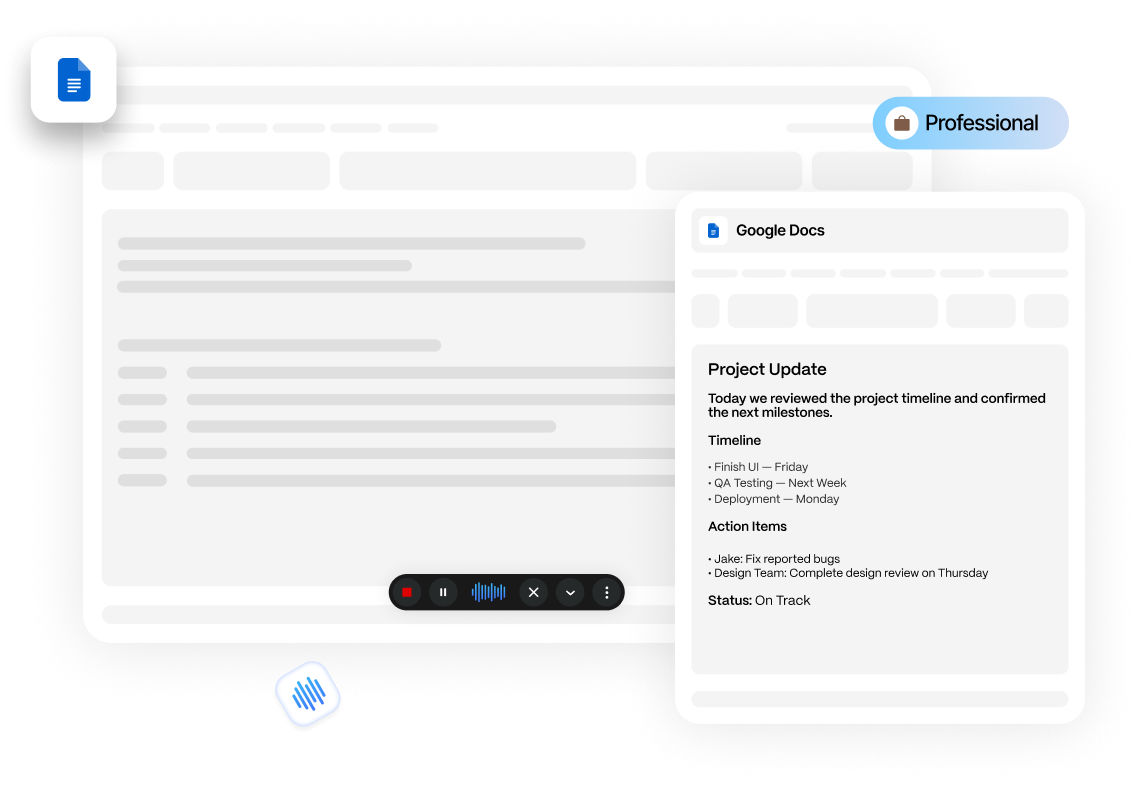
Dictating a prompt into a Google Docs window with Zero Typing AI, with the Professional writing style applied

Faster than typing

99%

Uptime guaranteed

10k+

Active users

On This Page

Typing out a good prompt for ChatGPT, Claude, or Gemini takes time, especially when the best prompts are detailed, specific, and often several sentences long. Voice prompting AI flips that around. Instead of typing a paragraph explaining what you want, you say it, the way you would explain it to a colleague. This guide covers what voice prompting AI is, how to do it well, and how to set it up across the AI tools you already use.

What Is Voice Prompting AI?

Voice prompting AI is the practice of speaking a prompt out loud instead of typing it, using speech to text software to convert what you say into text that gets sent to an AI chatbot. It is a natural fit for AI tools because the best prompts tend to be longer and more conversational than a typical search query. You are not typing two or three keywords. You are describing context, constraints, and what you want the output to look like.

If you are curious about what happens between speaking and the text landing in the chat box, this breakdown of how AI voice typing works covers the speech recognition and cleanup steps in more detail.

Speaking a prompt is closer to how most people naturally explain a problem than typing is. That is part of why voice prompted requests to AI tools often come out more detailed and more specific. It is easier to keep talking through the nuance of what you want than to keep typing it.

Why Voice Prompting AI Works Well With AI Chatbots

Prompts are longer than search queries

A Google search might be three words. A good ChatGPT prompt is often three sentences or more: background, the task, and the format you want back. That length gap is exactly where voice prompting AI saves the most time.

Natural speech produces more context

When people type, they tend to compress and simplify. When people talk, they naturally add the context, examples, and caveats that make a prompt more effective, without consciously trying to.

It fits how you already think through a problem

Many people think out loud before they write. Voice prompting AI lets that first pass become the actual prompt, instead of an extra step before typing something shorter.

How To Use Voice Prompting AI With ChatGPT, Claude, And Gemini

With Zero Typing AI, the process is the same across all three tools, because the dictation runs as an overlay on top of whatever app is open. It is not a separate feature built into each chatbot individually.

  1. Open your AI tool

    Open ChatGPT, Claude, or Gemini in your browser or app as you normally would.

  2. Click into the chat box

    Click into the chat input box, just like you are about to type.

  3. Activate the microphone

    Activate Zero Typing AI's floating microphone icon, or your set keyboard shortcut.

  4. Speak your prompt naturally

    Say it in whatever order makes sense to you: background, task, and desired format.

  5. Let it transcribe and clean up

    Zero Typing AI transcribes your speech and applies AI-powered formatting and cleanup, so filler words and false starts do not end up in your prompt.

  6. Review and send

    Glance at the dictated prompt in the input box, make any quick edits, and send it.

Tip. If you use the same type of prompt often, for example always asking for a specific tone or output format, set up a custom prompt in Zero Typing AI so that structure gets applied automatically every time you dictate.

Why Use Zero Typing AI Instead Of Built-In Voice Typing

Most AI chatbots already include some form of voice typing or voice command feature built directly into the app. So it is a fair question to ask why add another tool on top of that. The difference comes down to what built-in voice typing is designed for, versus what Zero Typing AI is built for.

Built for dictating prompts, not short commands

Built-in voice typing is designed for general dictation or short commands. It is not fine-tuned for the way people actually talk through a detailed prompt: context up front, a task in the middle, and format instructions on the end. Zero Typing AI is built around that specific use case.


Cleaner punctuation and formatting

Zero Typing AI applies AI-powered cleanup to what you say, adding punctuation and structure so a spoken prompt reads like something you typed carefully, rather than a raw transcript.

Better at understanding natural speech

Because it is fine-tuned specifically for voice typing, it follows the pauses, corrections, and rephrasing that happen naturally when you talk, instead of transcribing every false start word for word.

One tool across every app

Built-in voice typing only works inside the app that built it. Zero Typing AI works as an overlay across all of them, so you use the same tool everywhere. It also works well beyond AI chatbots, including voice typing for Google Docs, Gmail, and Slack.

Save your own prompt structures

Zero Typing AI lets you save a custom prompt structure, so a tone, format, or set of instructions you often use gets applied automatically every time you dictate. Built-in voice typing tools do not offer this.

Tip. Dictate the same prompt into Claude using its own built-in voice typing, then again using Zero Typing AI, and compare the two results side by side.

How To Write A Strong Prompt, Adapted For Voice

The core principles of good prompt writing do not change when you switch from typing to talking. What changes is how naturally you can hit them, since speaking makes it easier to include detail without the request feeling tedious to compose.

  1. 1

    Give context before the task

    Say who you are, what you are working on, or what the output is for, before you state the actual request. "I am writing a blog post for a small business audience, and I need..." gives the model far more to work with than starting cold with the task itself.

  2. 2

    Be specific about the format you want back

    Say explicitly whether you want a list, a short paragraph, a table, a certain word count, or a particular tone. Voice makes it easy to tack this on naturally: "...and give it to me as a bulleted list, not a full paragraph."

  3. 3

    Include examples when you have them

    If you have an example of the tone, style, or format you want matched, describe it or reference it directly. "Write it in the same style as the last one you gave me" or "keep the tone like a casual email, not a formal report" both work well spoken.

  4. 4

    State constraints clearly

    Mention anything the AI should avoid or stay within: length limits, topics to skip, information it should not assume. These are easy to forget when typing a short prompt but come out naturally when you talk through a request out loud.

  5. 5

    Break multi-part requests into clear steps

    If your prompt has more than one part, for example "summarize this, then rewrite the summary for a general audience", say each part as a distinct step. It mirrors how people naturally give multi-step instructions in conversation.

Common Mistakes To Avoid

  • Rambling without a clear ask. A longer prompt is only useful if it is still building toward a specific request. Close with a clear, direct instruction, not just background.

  • Forgetting to specify format. Without a stated format, most AI tools default to a full paragraph response, even when a list or table would serve you better.

  • Not reviewing before sending. Always glance at the dictated prompt before hitting send, especially for anything with numbers, names, or technical terms.

  • Treating it like a voice assistant command. Voice prompting AI works best as a short spoken explanation, not a one-line command like you would give a smart speaker.

Voice Prompting AI Across Different Use Cases

Coding & technical

Describe the function or problem in plain language, including constraints like language, libraries, or performance, then let the AI draft the code. It is often faster to explain a bug out loud than to type it precisely.

Writing & content

Voice prompting AI is a strong fit for content requests, since tone, audience, and structure are all easy to describe out loud and easy to forget when typing quickly. If you are drafting directly, voice typing for Google Docs uses the same dictation and cleanup approach.

Research & summarizing

Speak through what you already know and what you are trying to figure out. This thinking-out-loud context often produces a more targeted summary than a short typed request.

Get Started Free

Start Using Voice Prompting AI Today

Try Zero Typing AI free and dictate prompts directly into ChatGPT, Claude, Gemini, and more.

Frequently Asked Questions

Everything about dictating prompts with Zero Typing AI.

Yes. Zero Typing AI works as an overlay across apps, so the same setup works in ChatGPT, Claude, Gemini, and other AI chat tools without needing separate configuration for each one.

Built-in voice typing in most AI tools is designed for general dictation or short commands, not for the longer, detailed prompts that get the best results. Zero Typing AI is fine-tuned specifically for voice prompting AI use cases: it adds punctuation, follows natural speech patterns, and cleans up the text so it reads clearly. Try dictating the same prompt with an app's own voice typing and then with Zero Typing AI to compare the results directly.

The AI model itself processes the text the same way regardless of how it was entered. What differs is that spoken prompts tend to naturally include more context and detail, which can lead to more specific, useful responses.

No. Zero Typing AI works the same way across ChatGPT, Claude, Gemini, and other AI chat tools, so you can use one voice prompting AI tool everywhere instead of switching between each app's own built-in voice typing.

Zero Typing AI applies AI-powered cleanup to dictated text, removing filler words and false starts so the transcribed prompt reads cleanly rather than as a raw transcript.

Yes. Zero Typing AI supports custom prompts, letting you set a structure or style that is applied automatically each time you dictate, rather than repeating the same instructions every time.

Yes. Voice assistants are built around short commands and predefined actions. Zero Typing AI is built for open-ended dictation, full sentences and paragraphs, which is what effective AI prompts usually require.

Say goodbye to typos and wasted time - Zero Typing AI writes with precision, so you don’t have to.

Sign up for our newsletter and join the Zero Typing AI community.

reCAPTCHA
This site is protected by reCAPTCHA and the Google Privacy Policy and Terms of Service apply.